FastTrax pulls your setlist — from Planning Center or your local library — matches every song to your stems, and drops a ready-to-run Ableton session on your desktop. Less prep. More music.
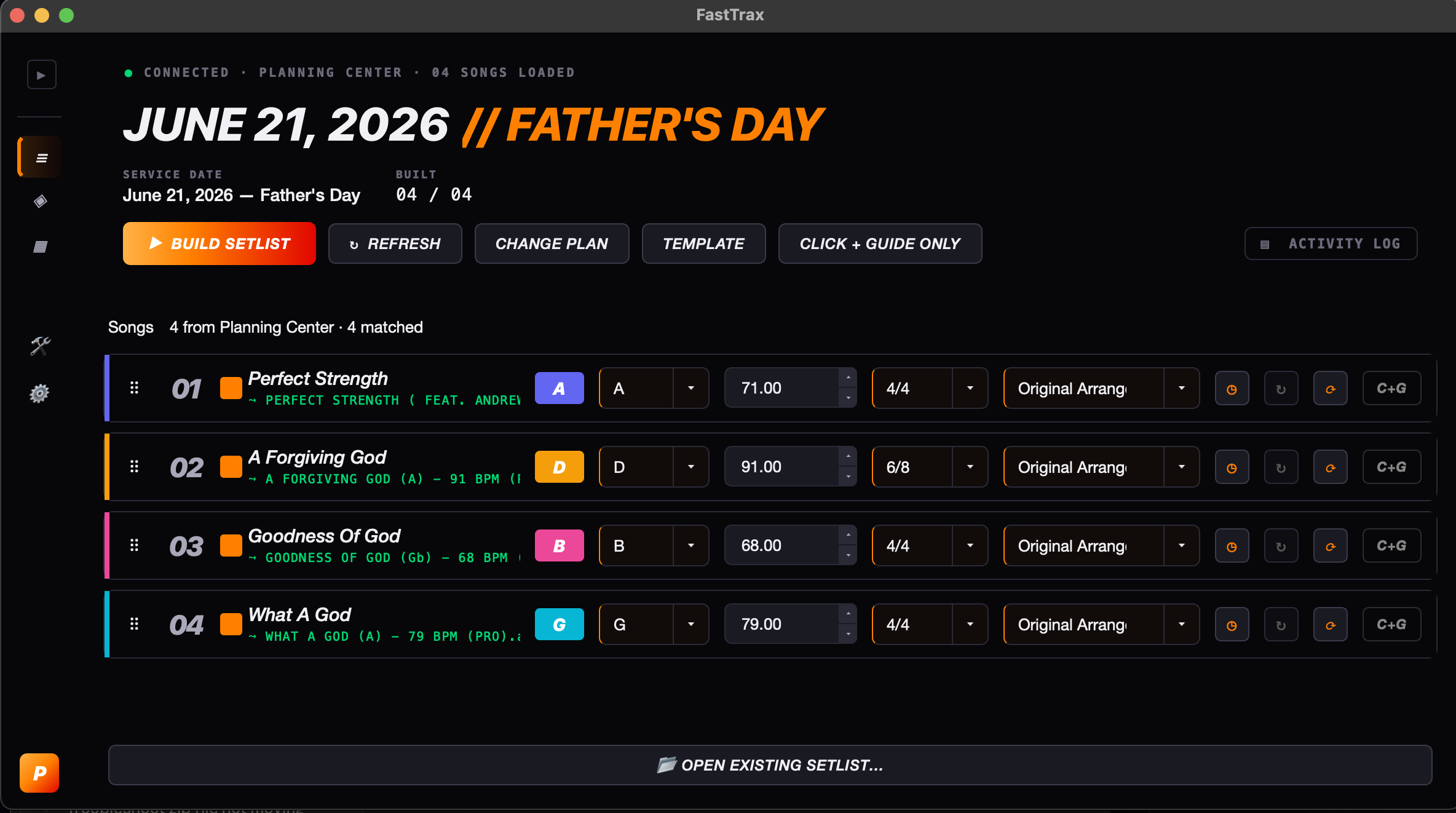
No template? Little experience? No problem! Starter will get you up and running in seconds and help you learn and get comfortable with building sessions every week!
Multiple venues, multiple campuses, multiple gigs in one day — we got you covered. Upload your own templates, individual song sessions, routing presets for different rigs, even build without a Planning Center plan. Create more with Pro.
Click any card to see how it works.
Read live plans, song lists, keys, tempos, and arrangements — no copy-pasting.
Drop your existing stems library in and FastTrax handles the file matching.
AI-detected verses, choruses, bridges, and tags. Edit them once per song — FastTrax saves those edits and loads them every time you build.
Full mix one week, in-ears-only the next. Toggle per song or flip the whole set at once.
Run Ableton Is Confusing, From Studio to Stage, or your own custom template. Each one keeps its own folders, routing, and track mappings.
Drag songs from your library, set the order, pick keys, hit Build. No PCO required.
You know the drill. The set lands a few days out. You’re still chasing files, fixing keys, and wiring stems by hand the night before. There’s a better way.
Dragging stems, renaming tracks, lining up clicks. Every week. For every song.
A song gets swapped Saturday night. You rebuild the whole session from scratch.
Verse, chorus, tag, bridge — labeling everything manually so the band knows what’s next.
By the time the session’s built, the actual moment — the worship, the show, the room — hasn’t even been thought about yet.
FastTrax handles the busywork so you can focus on the music — on stage, in the room, leading the moment.
FastTrax connects to Planning Center, pulls your plan, and knows exactly which songs you’re playing, in which keys, at what tempo.
It scans your MultiTracks library, lines every song up to the right stems, and lets you fine-tune sections with the built-in editor.
Out comes a clean .als file — clicks, guides, stems, section markers, all in place. Open in Ableton and you’re ready for the gig.
No subscriptions. Free updates. Founding-member pricing while we’re new.
For teams just dipping into multitrack — get a clean Click + Guide build going fast.
For teams running real sets — weekend services, festival runs, tour dates — with Song Session builds and full template support.
For churches, artists, and tours that want FastTrax wired into their exact Ableton template — built and branded for you.
If you run Ableton Live for tracks, you’re set. FastTrax reads your existing folders and templates — you don’t change a thing about your workflow. Planning Center makes setlist sync automatic; if you don’t use it, drag songs from your local library and build.
FastTrax works with any Ableton template — Ableton Is Confusing, From Studio to Stage, or your own custom setup. Each template keeps its own folders, routing, and track mappings.
Anywhere they already live. FastTrax matches your songs to stem files in your local library — MultiTracks.com, Loop Community, your own renders, or any properly named stems folder. Worship teams pulling from MultiTracks just point FastTrax at the folder; touring artists with custom-named renders work the same way.
FastTrax requires an Apple Silicon Mac (M1 or later). All builds are notarized by Apple — no Privacy & Security workaround on install. Intel Mac support is coming soon.
We’ll email you as soon as the store goes live with a direct checkout link at your founding member price. No payment is collected now.